
Download Xatira® Flip Book Web App – Chrome Apps, Flip Book, Animation, Web App, Free, Online Tool, No Installation, Touch-Screen, Facebook Share, Webcam, Printer
Overview
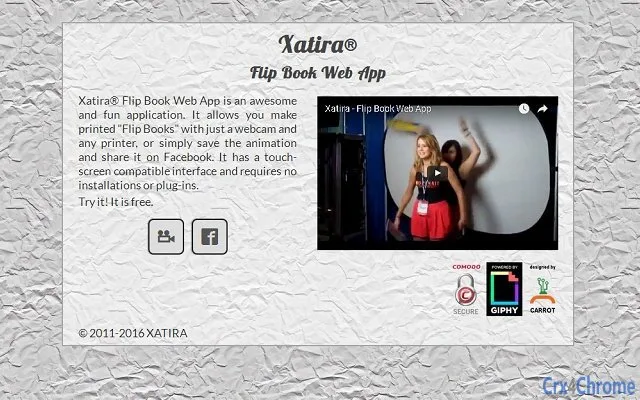
The Xatira® Flip Book Web App is a lightweight, browser-based tool designed for creating animated flip books using a webcam and a standard printer. This application enables users to transform printed pages into a dynamic, flipping animation effect—ideal for creative presentations, marketing materials, or personal projects. The software operates entirely within the web browser, eliminating the need for installation or additional plug-ins, making it accessible from any device with a modern browser and internet connection.
It supports touch-screen interfaces, enhancing usability on tablets and interactive displays. The target audience includes educators, marketers, designers, and hobbyists seeking a simple, no-cost solution for generating engaging visual content. Real-world usage scenarios include producing promotional flip books for events, creating interactive digital portfolios, or sharing animated content on social media platforms like Facebook.
The developer did not provide additional information about the company or development background.
Key Features & Capabilities
- Web-Based Operation – Runs directly in the browser without installation or plug-ins, reducing setup time and compatibility issues.
- Webcam Integration – Uses a connected webcam to capture sequential images of printed pages, which are then compiled into a smooth flip animation.
- Printer Compatibility – Works with any standard printer to produce physical pages that can be scanned for animation creation.
- Touch-Screen Interface – Optimized for touch interaction, allowing intuitive control on tablets and touch-enabled devices.
- Facebook Sharing – Enables direct export and sharing of the final animation to Facebook, facilitating quick social media distribution.
- Animation Export – Allows users to save the flip book as a digital file for offline viewing or further editing.
These features empower users to create professional-quality flip animations with minimal technical effort. For example, a teacher can use the app to generate a visual storybook from printed illustrations, while a small business owner might produce a flip book to showcase product features at a trade show. The no-installation model ensures that users can access the tool from any computer, making it ideal for shared or public workspaces. The integration of touch-screen support broadens accessibility for non-technical users, while the Facebook sharing function streamlines content dissemination.
User Interface, Workflow & Performance
The user interface of the Xatira® Flip Book Web App is designed with simplicity and accessibility in mind. The layout is clean and intuitive, with clearly labeled buttons and visual feedback during each stage of the flip book creation process. Navigation is linear and straightforward: users begin by setting up their webcam, proceed to print pages, capture images, and finally export or share the animation.
The touch-screen compatibility enhances interaction, allowing users to tap through steps or adjust settings with ease. Workflow efficiency is high due to the minimal number of steps required to produce a final output. The application does not require users to manage file formats, compression settings, or complex editing tools.
Performance is expected to be stable within standard web browser environments, though exact resource usage details were not specified. The developer did not provide information on CPU or RAM behavior, but general web app performance suggests low to moderate system load under typical use. Stability is likely maintained through reliance on standard browser APIs, though real-world performance may vary depending on internet speed and device capabilities.
Compatibility & System Requirements
The Xatira® Flip Book Web App is designed as a web-based application, meaning it runs on any device with a modern web browser and an active internet connection. It is compatible with all major operating systems, including Windows, macOS, Linux, and mobile platforms such as Android and iOS, provided they support the required browser standards. The application does not require a specific version of the operating system, as it relies on browser functionality rather than native OS integration.
Installation size is not applicable, as the software is delivered entirely through the web. The developer did not specify exact hardware requirements, but general expectations suggest that any device capable of running a modern browser and supporting a webcam should be sufficient. Compatibility information was partially provided, with the primary platform being web-based access.
Pros and Cons
Pros
- Free to use with no hidden costs
- No installation or plug-ins required
- Works on any device with a web browser
- Touch-screen friendly interface
- Direct Facebook sharing capability
- Simple workflow for creating flip book animations
- Compatible with standard printers and webcams
Cons
- Dependent on stable internet connection
- Performance may vary based on browser and device capabilities
- No offline mode available
- Exact system requirements not specified
- Limited to web browser environment
FAQ Section
Is Xatira® Flip Book Web App free to use?
Yes, the application is completely free to use with no subscription or hidden fees.
Does it require any installation or plug-ins?
No, the app runs directly in the browser and does not require any installation or additional plug-ins.
Can I use it on mobile devices?
Yes, the app is compatible with mobile devices that support modern web browsers and touch-screen functionality.
Is my data secure when using the app?
The developer did not provide specific details about data handling or privacy policies. Users should exercise caution when uploading personal or sensitive content.
Can I use it offline after the initial setup?
No, the application requires an active internet connection to function and does not support offline usage.
Final Thoughts + CTA
The Xatira® Flip Book Web App delivers a straightforward, accessible solution for creating animated flip books without the need for complex software or hardware. Its web-based nature, combined with touch-screen support and social sharing features, makes it ideal for users seeking a quick and creative way to produce engaging visual content. While it lacks advanced editing tools and offline functionality, its simplicity and zero-cost model make it a compelling choice for educators, small businesses, and hobbyists.
The ability to use standard printers and webcams lowers the barrier to entry significantly. For those looking to generate fun, interactive content with minimal effort, this tool offers a practical and efficient workflow. Download Xatira® Flip Book Web App now and start creating your own animated flip books today.







